Using Football Sim Lab in Your Language
Publisher: Football Sim Lab · Published · Corrected
Football Sim Lab's language menu currently offers English, Spanish, French, Korean, Chinese, Japanese, Brazilian Portuguese and Indonesian. The original January announcement described five languages. This revision reflects the current menu and corrects its overly broad claims about translation coverage.
Change the interface language
- Open the globe button in the site header. On a narrow phone screen, the button can show only the globe icon.
- Select the language by its displayed name: English, Español, Français, 한국어, 中文, 日本語, Português (Brasil), or Bahasa Indonesia.
- Continue with your tournament or career. Selecting a language changes the interface; it does not start a new simulation.
The preference is stored in this browser's local storage. On a later visit the app first checks that saved choice, then the browser's preferred language, and falls back to English. Clearing site data removes the saved preference along with other local data. A choice on one device or domain does not automatically transfer to another.
Which parts are translated?
The games use translation resources for navigation, controls and many team and result labels. Missing translated interface strings can fall back to English. This is not a claim that every sentence has been professionally translated or independently checked.
The Blog, methodology, research, privacy and other publication copy currently remain in English. Choosing another interface language does not translate these articles. Country codes such as USA and BRA can also remain unchanged because they identify teams across languages.
Check an image before sharing it
Set the interface language before generating a standings or bracket image. Exported labels use the rendered game interface, so check team names, headings and long labels in the downloaded image before posting it. An image already downloaded will not change when you select another language.
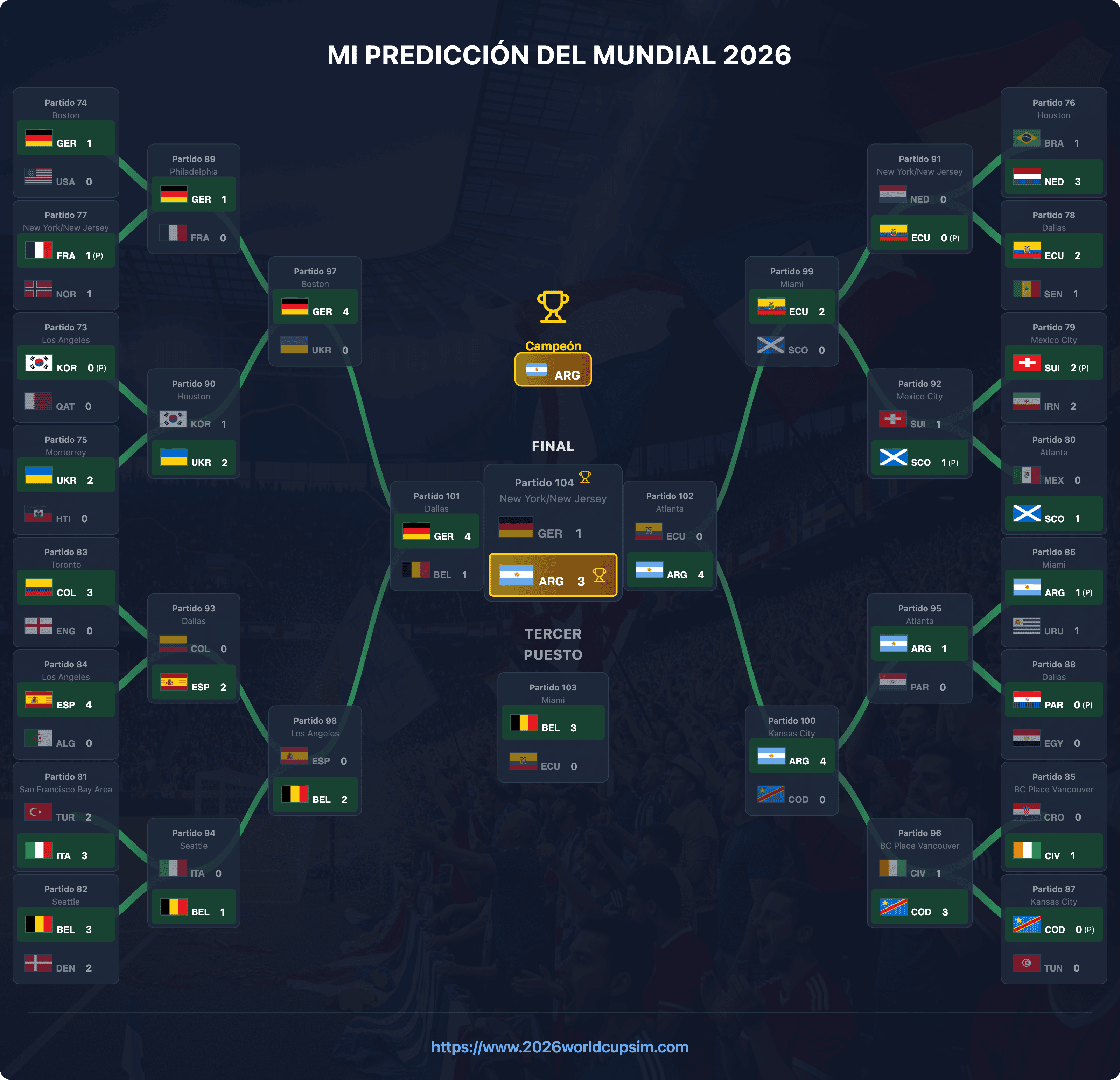
An exported image is a record of your simulation, not an official match result. Public share links also have different privacy and storage implications from a local image; read the privacy policy before uploading a result.
Report a translation problem
Use Contact and corrections. Include the page URL, selected language, the exact text shown, what it should say and the action that revealed it. If a team name or long button label is clipped, include the device type or screen width if known. This helps distinguish a wording problem from a layout problem.
The previous version claimed complete professional translation and audience reach without evidence attached to the article. Those statements have been removed. This page documents the available controls and their limits.
For tournament instructions, read the worked guide. To start playing, open the tournament setup or Player Career.